Git-native API client
Senda is a fast, lightweight API client where every collection is a plain folder of YAML. No cloud account, no proprietary format — open a collection, send requests, and commit the diff.
Why Senda
Existing API clients hide your work in the cloud or a proprietary blob. Senda keeps it in files you already track.
git diff works on your requests..bru files need custom tooling to read.*.secret.yaml is gitignored and merged only at send-time.Features
A full request/response client — plus a test runner, mock server, load tester, and security scanner, all driven from the same files.
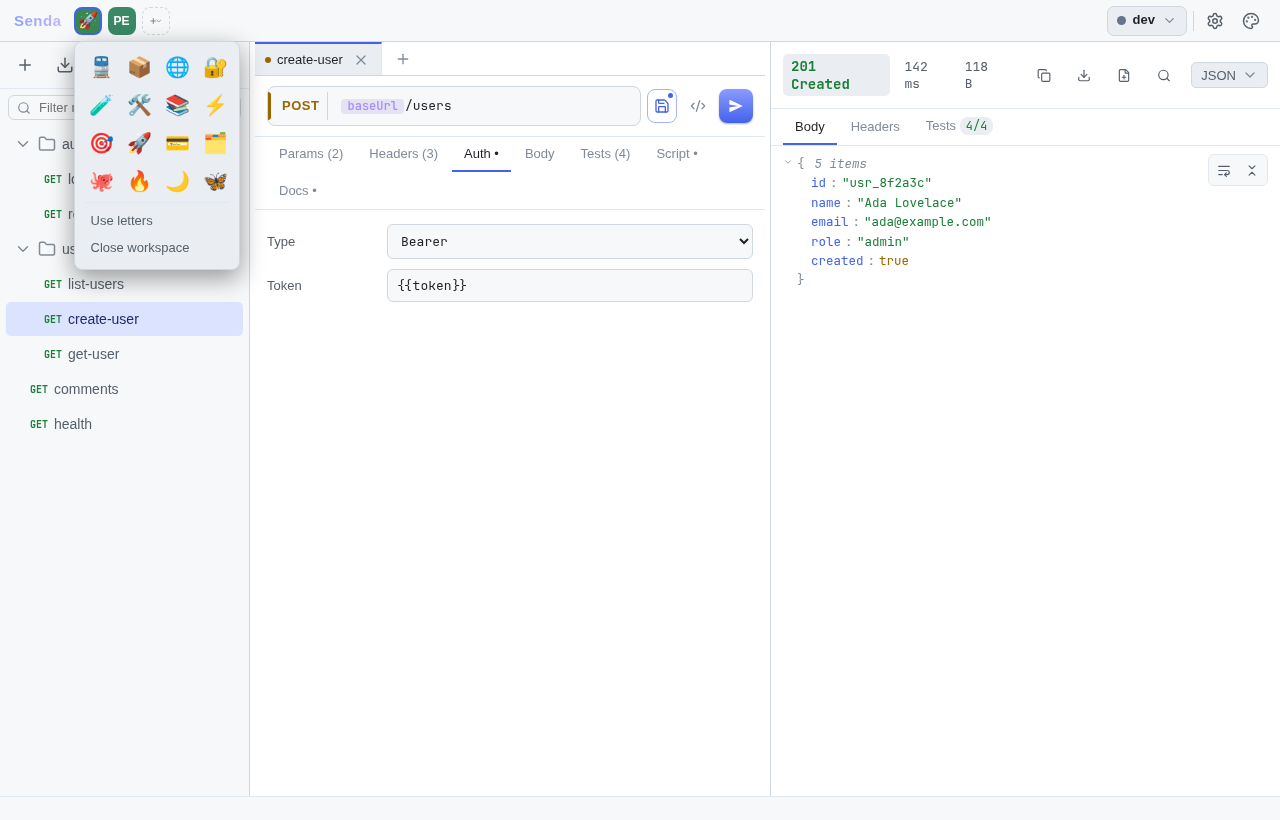
One folder per collection, one YAML file per request — switch between open collections from the workspace rail. Fully trackable: your requests live next to your code and git diff just works, with a built-in source-control view comparing your working tree against HEAD in-app.
GET through OPTIONS, query, headers, and body with per-row toggles. JSON, form, multipart, and GraphQL with one-click schema introspection. Per-collection proxy and client-certificate (mTLS) support, with paths kept out of git via {{var}}.
{{var}} interpolation across URL, headers, and body — with {{$faker}} autocomplete and dev/prod/staging files. Secrets stay in gitignored overlays, merged only at send-time, and edit in-app (collection or per-environment) with masked values and per-row reveal. Optionally encrypt them at rest (AES-256-GCM, key in the OS keychain) so a stolen disk or backup can't read them.
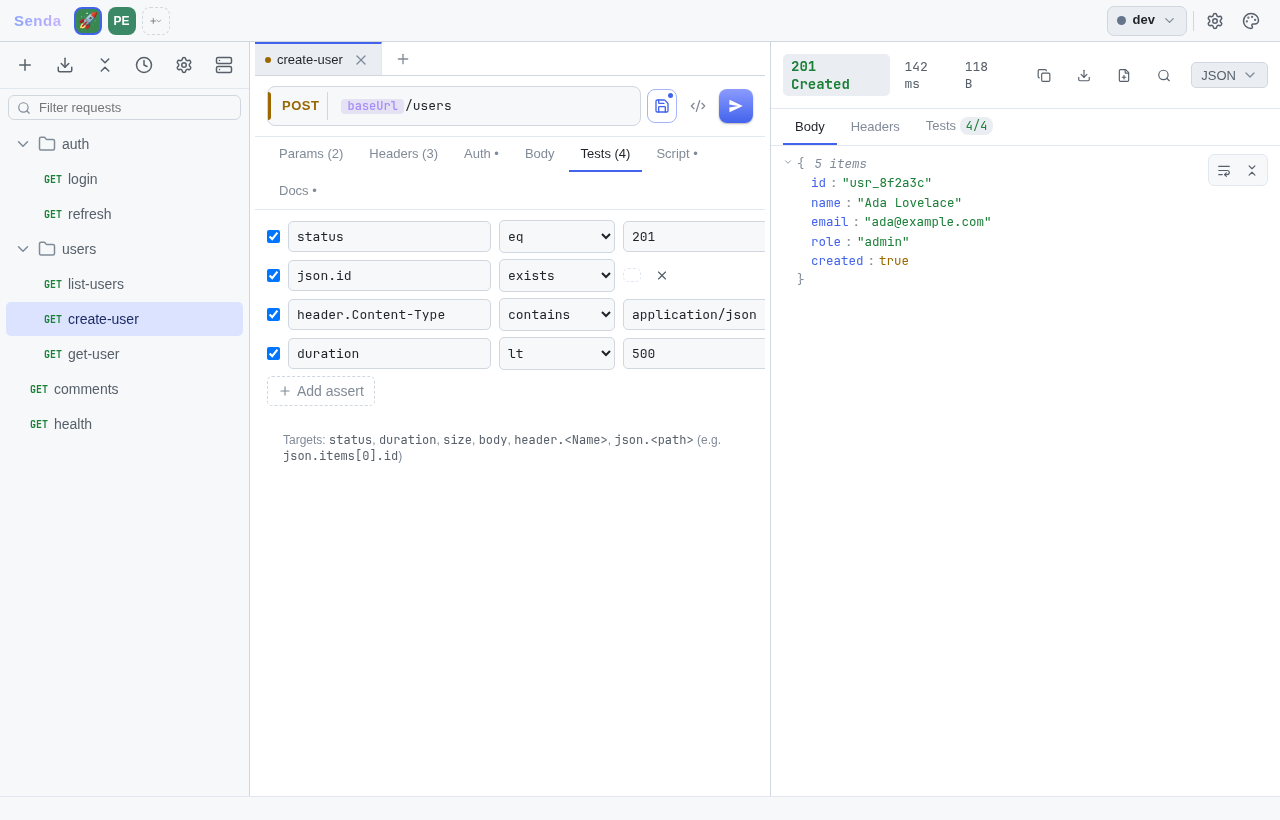
Per-request tests on status, timing, size, JSON path, headers, and regex — plus JSON Schema validation of the response body on every send.
Shape a request before it goes out and extract tokens after it returns, in a sandboxed JS engine (Goja). Chain requests with senda.setVar / getVar.
Run a whole folder sequentially with live results, or switch to concurrent virtual-user load testing reporting p50/p95/p99 latency and status mix.
Reference an earlier response inline with {{res.login.json.token}}, or wire requests into a *.flow.yaml graph — branch, loop, parallel, delay. Create and edit flows in-app with live validation, run them from the app or senda run -flow. Bad graphs fail fast before any request fires.
Spin up a local HTTP server straight from YAML — response templating, named scenarios, stateful CRUD resources, proxy passthrough, CORS, and hot-reload.
Run an embedded pack of nuclei-compatible HTTP checks across every request under a folder. Filter by severity and tags; stream progress check-by-check.
Connect to ws:// / wss:// endpoints or Server-Sent Events and watch the live message log — variables and auth resolve just like HTTP.
Import from curl, Postman v2, OpenAPI 3, and HAR captures (Chrome "Copy all as HAR" → bulk requests, example responses, optional replay mocks). Imported OpenAPI specs stay editable in-app via a structured form (operation summary/description + request-body fields, written back in place) and link each request to its operation for request-body schema validation + key autocomplete. Export a response as HAR, generate curl / fetch / httpie / Python / Go, or render the collection to Markdown / HTML docs.
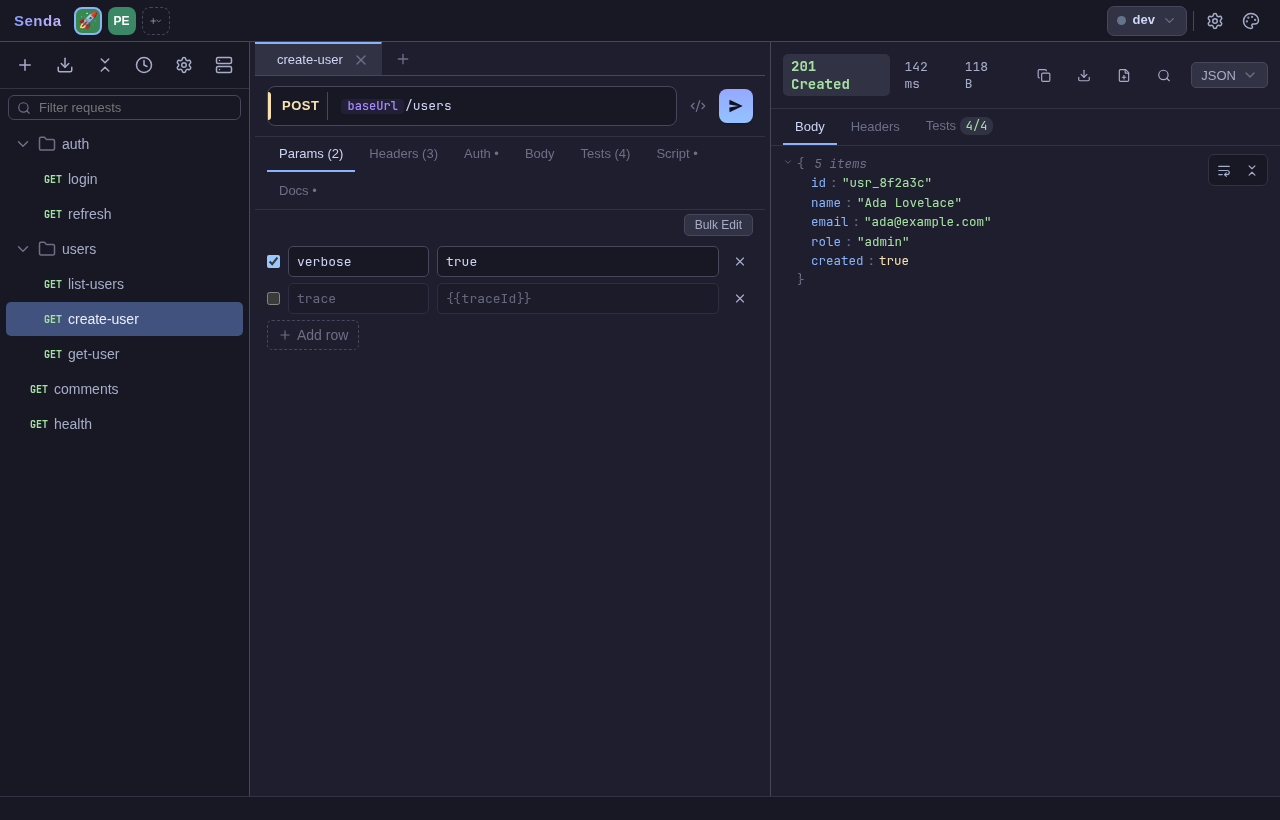
Fuzzy-search requests and actions with Ctrl+K. 13 built-in themes — Catppuccin, Nord, VS Code, and more — with light/dark/system mode.
The same send pipeline powers a native desktop app, a keyboard-driven terminal UI, and a headless CLI runner that drops straight into CI.
The format
git diff on your API requests just worksCollections are plain directories. Every request is one human-readable YAML file — no database, no binary blob, no lock-in.
my-api/
├─ .senda/            # config & state
│  ├─ senda.meta.yaml
│  ├─ environments/
│  │  ├─ dev.yaml
│  │  └─ prod.secret.yaml  # gitignored
│  └─ mocks/
└─ users/
   ├─ list-users.yaml
   └─ create-user.yaml
name: Create user
method: POST
url: "{{baseUrl}}/users"
headers:
  - { key: Authorization, value: "Bearer {{token}}" }
body:
  type: json
  raw: '{ "name": "Ada Lovelace" }'
asserts:
  - { target: status, op: eq, value: "201" }
  - { target: body, op: contains, value: Ada }
postScript: |
  senda.setVar("userId", res.json.id);
One engine, three ways to run
Scripts, variables, secrets, assertions, and the cookie jar behave identically across all three — pick whichever fits the moment.
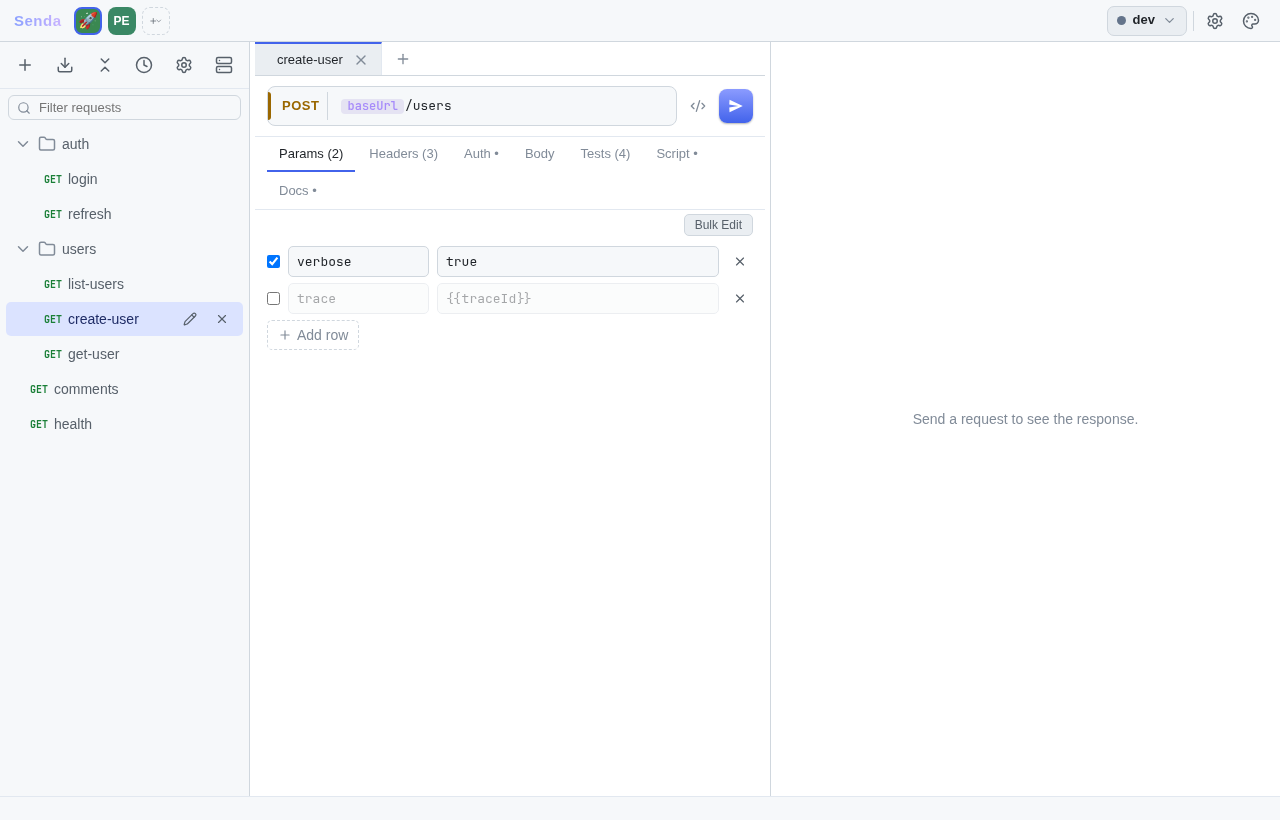
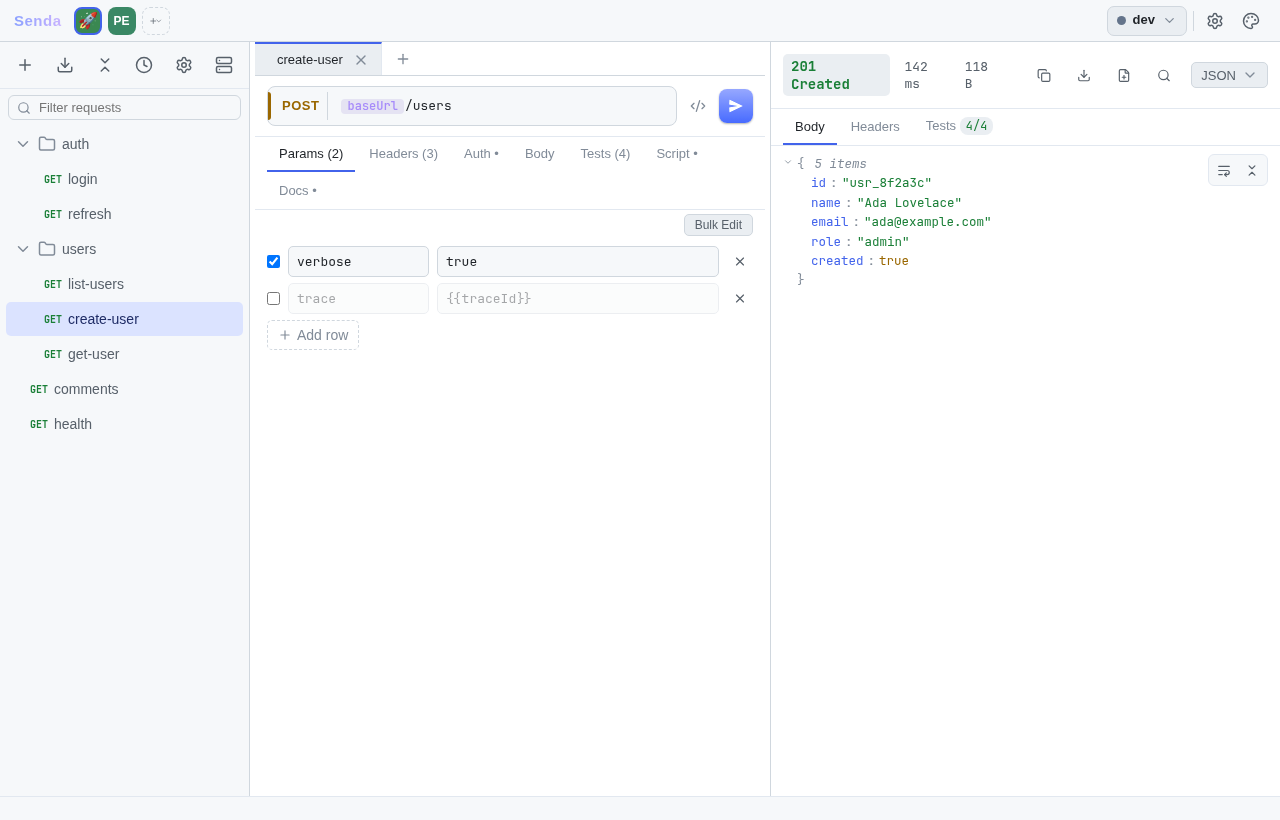
A native 3-pane shell built with Wails — tree, request editor, response viewer — with tabs, theming, and a command palette.
senda gui
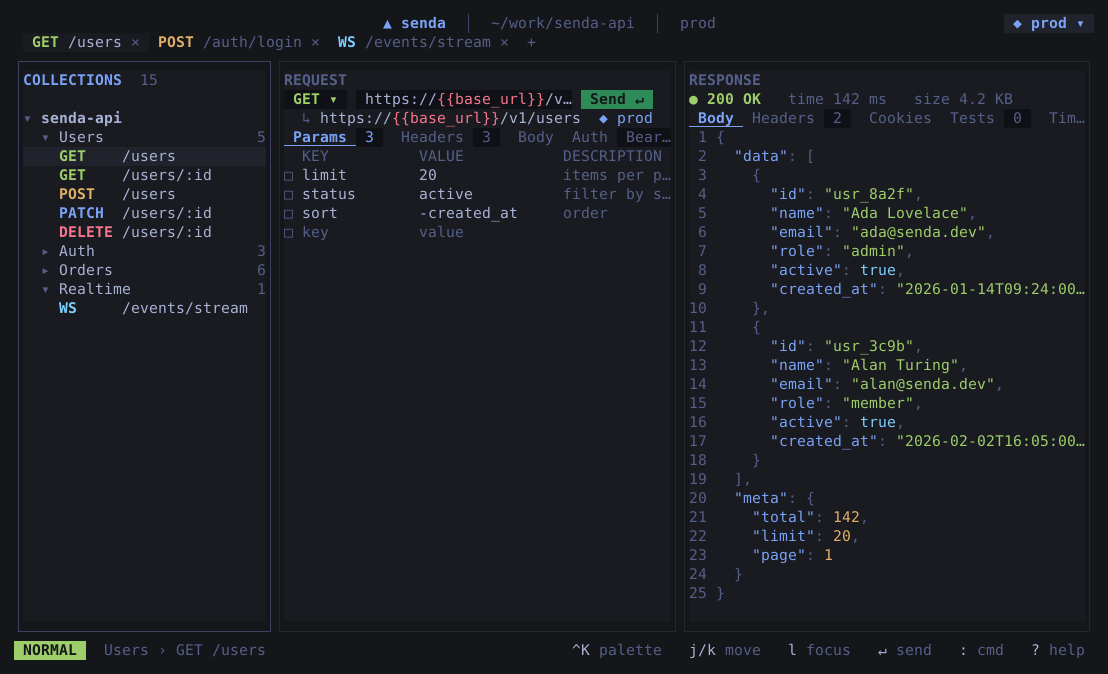
A keyboard-driven TUI on Bubble Tea — no webview, pure Go. It's what bare senda opens. Perfect over SSH, in tmux, or when you'd rather not leave the terminal.
senda ./my-api
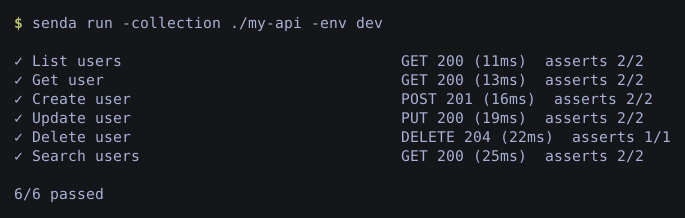
The same pipeline, scriptable in CI. Exits 0 when every request passes, 1 on any failure.
senda run -collection ./my-api -env dev
A closer look
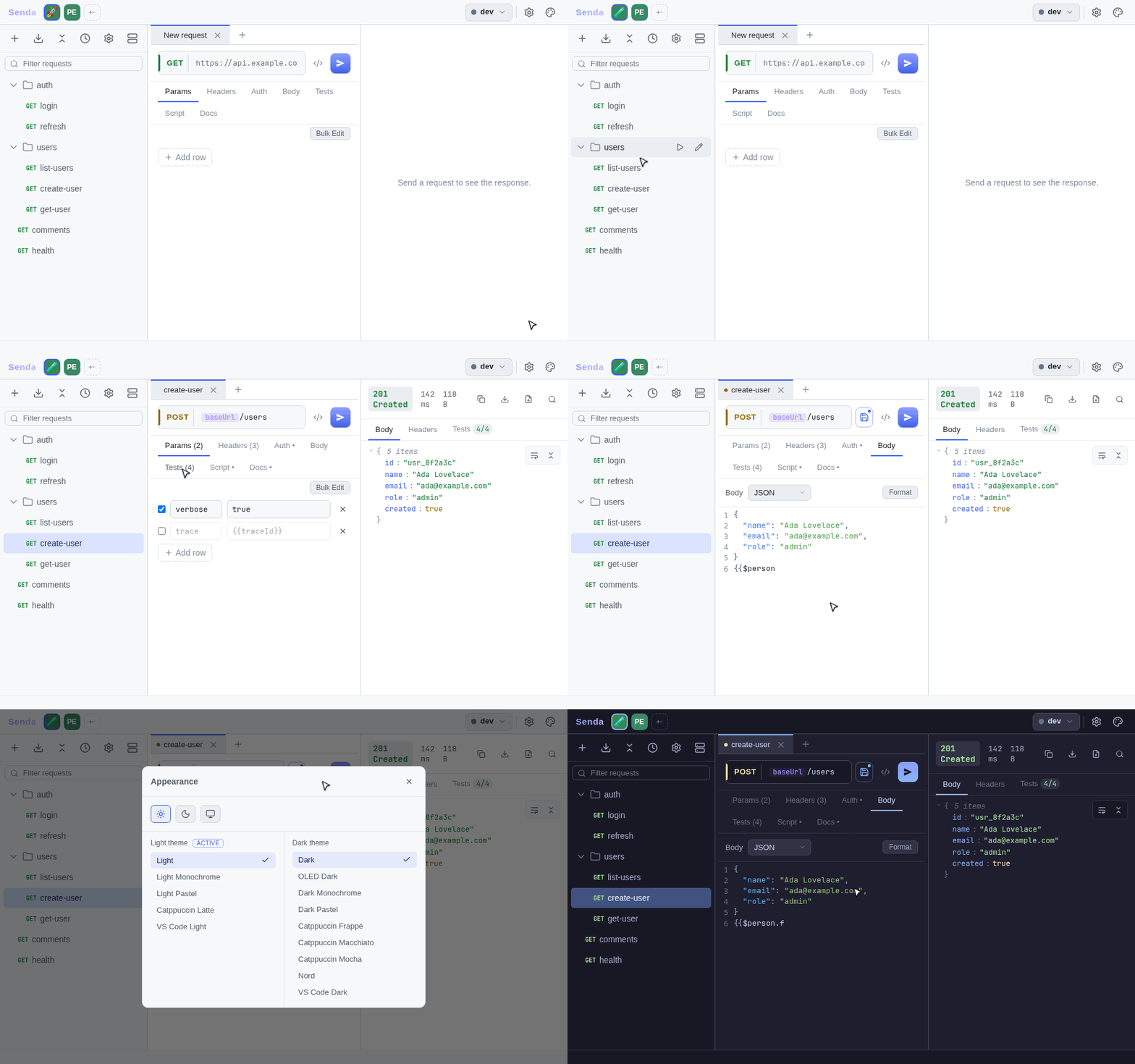
Every panel earns its place — send and inspect, assert, mock, generate, and switch workspaces without leaving the keyboard.
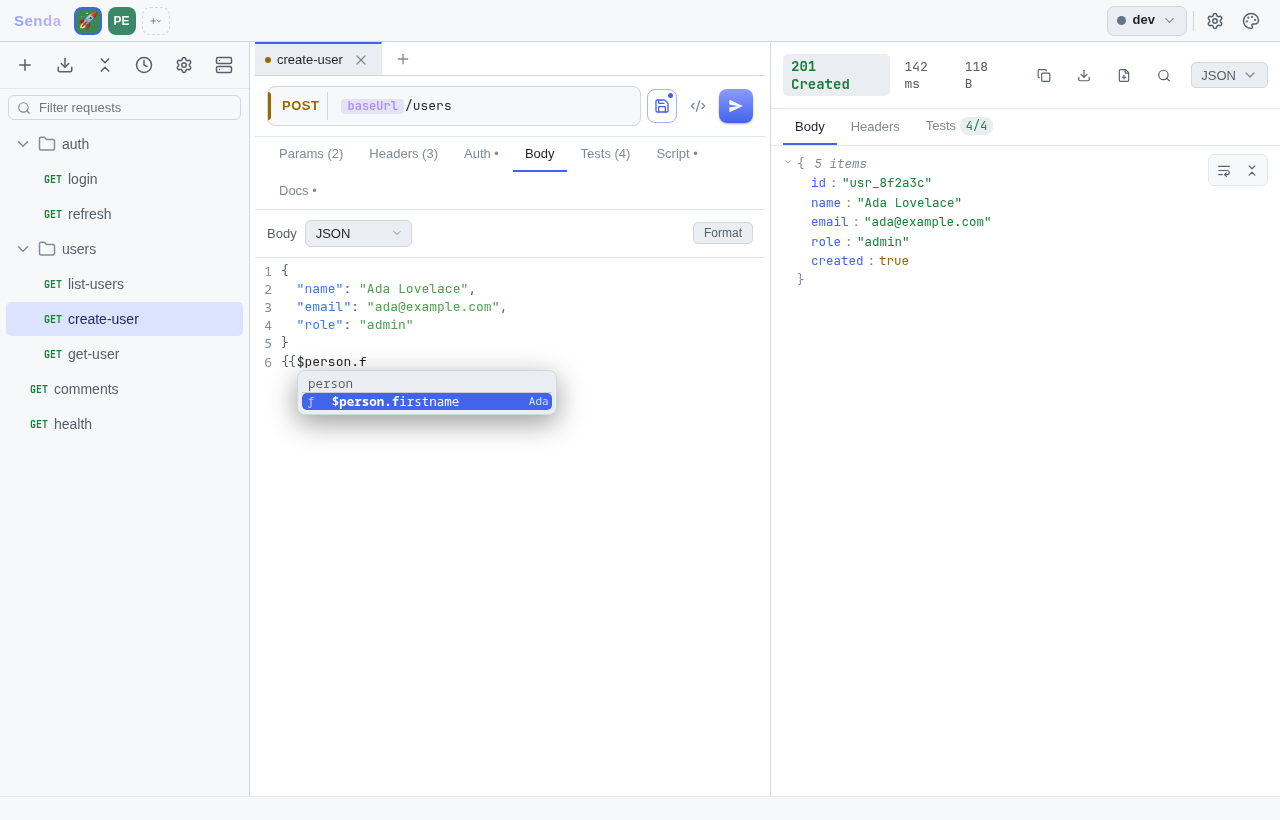
{{$person.firstname}} autocomplete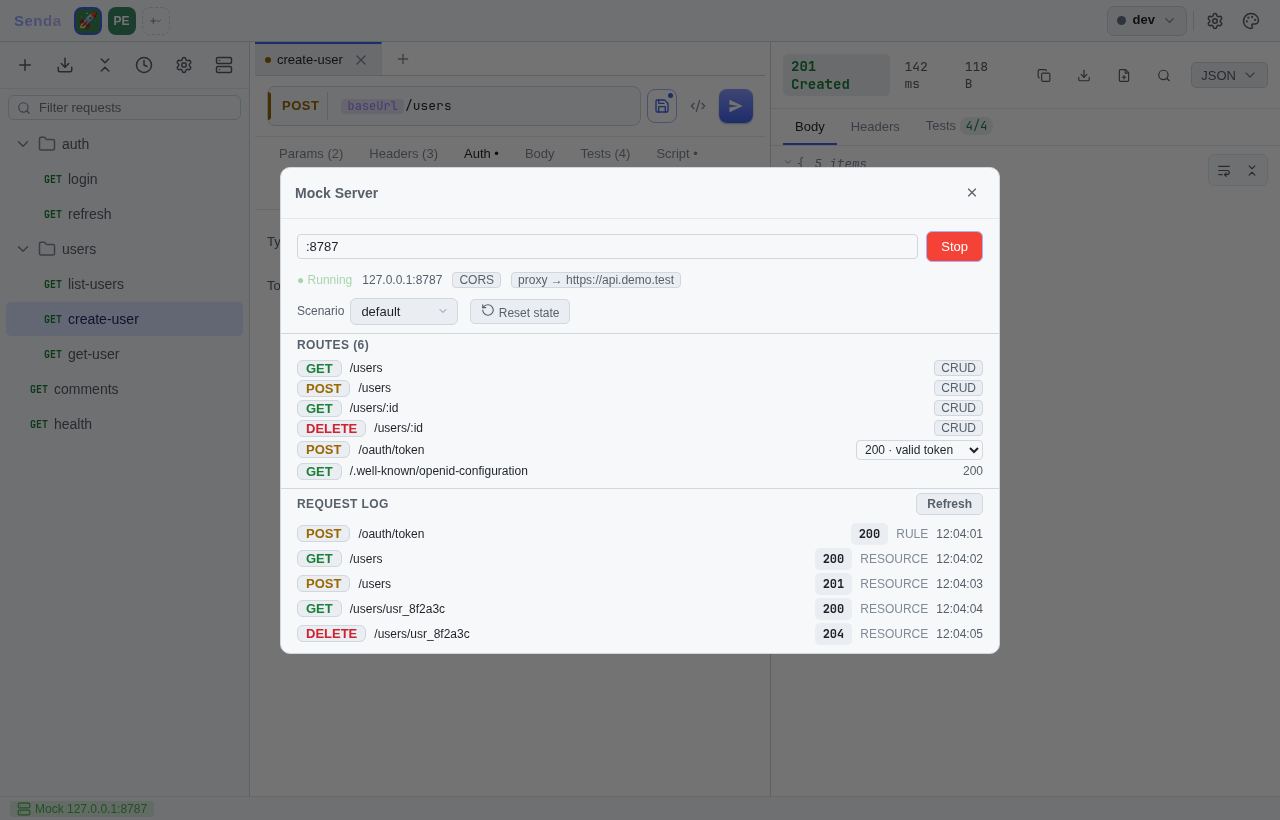
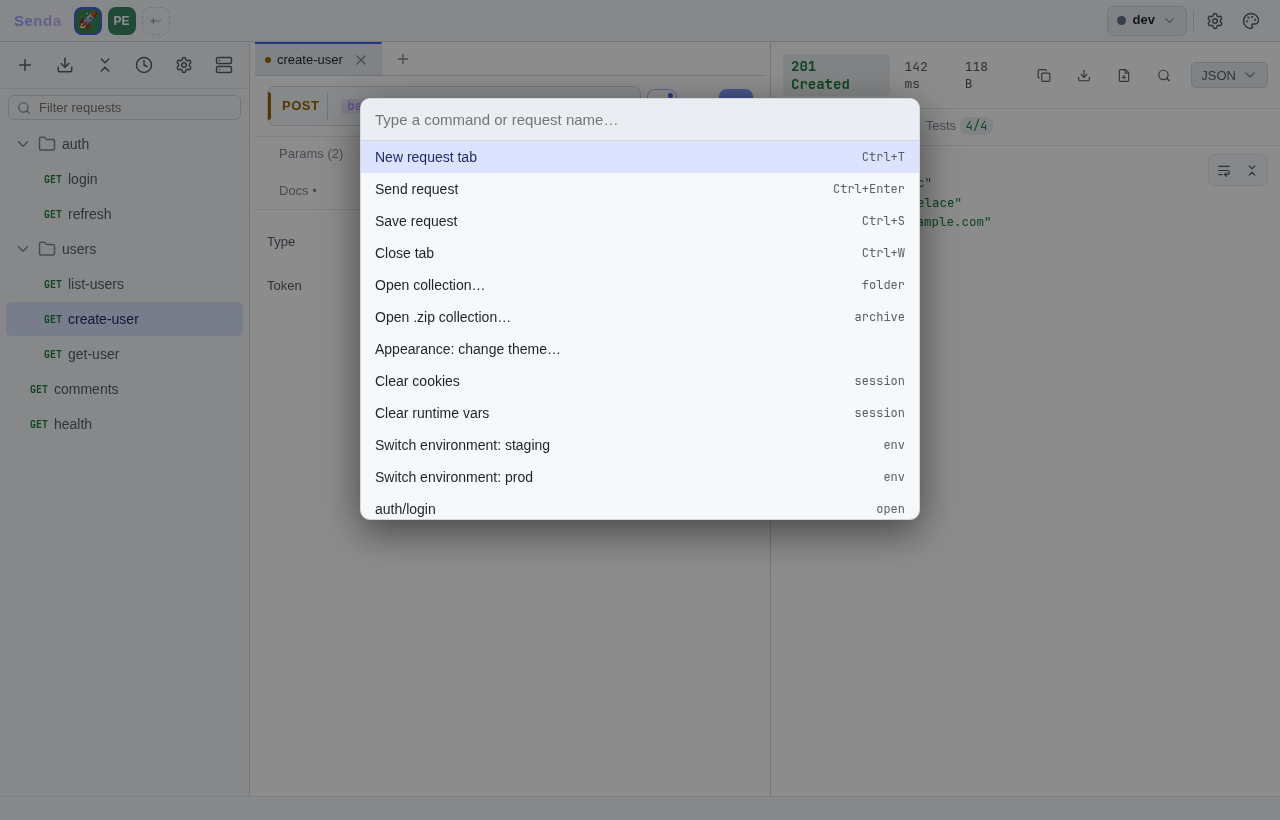
Ctrl+K for everything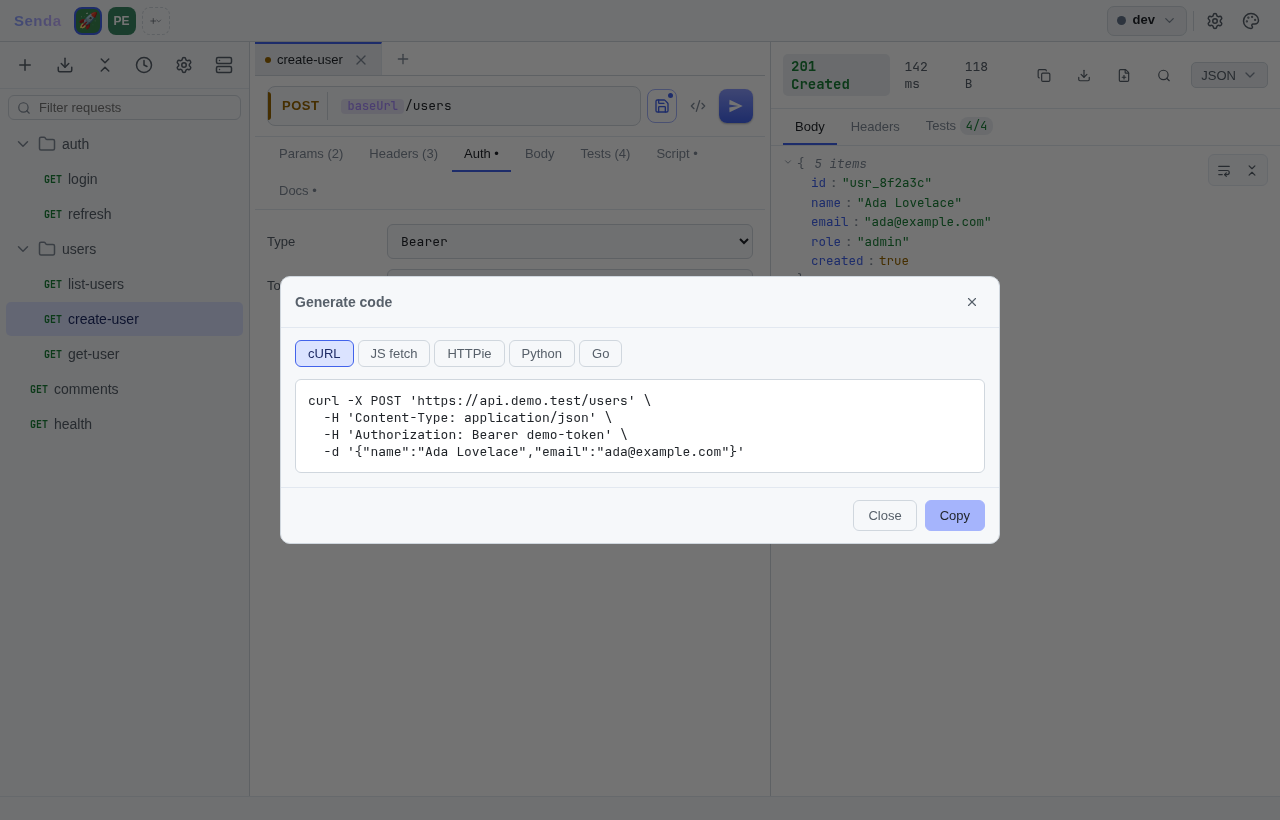
Install
Prebuilt binaries for Linux, macOS, and Windows ship with every release — each bundles the desktop app and the headless CLI.
curl -fsSL https://raw.githubusercontent.com/this-senda/senda/main/scripts/install.sh | sh
Installs into ~/.local/bin and verifies the release SHA-256 before installing. On Linux the desktop window needs a WebKitGTK runtime — the installer prints the exact package if it's missing.
irm https://raw.githubusercontent.com/this-senda/senda/main/scripts/install.ps1 | iex
Runs the PowerShell installer. WebView2 is bundled on Windows — no extra runtime needed.
brew install this-senda/tap/senda
Works on macOS and Linux via the Homebrew tap. On macOS, Homebrew re-applies quarantine to the unsigned binaries — add --no-quarantine to skip it (see the note below).
Coming soon. The winget and Chocolatey (choco install senda) packages aren't published to their repositories yet. For now, install on Windows with the PowerShell installer or grab the .exe from the releases page.
Senda isn't Apple/Microsoft code-signed yet, so the OS shows a one-time warning on first launch — the download is intact, it's only the missing signature.
macOS — Gatekeeper blocks the unsigned app; on Apple Silicon it usually says "Senda is damaged and can't be opened" (older Macs: "developer cannot be verified"). The "damaged" dialog can't be cleared by right-clicking → Open — remove the quarantine flag once. The shell installer does this for you; the .dmg and manual .tar.gz downloads need it run by hand, and it affects the terminal senda CLI/TUI too, not just the GUI:
xattr -dr com.apple.quarantine /Applications/Senda.app
xattr -dr com.apple.quarantine ./senda ./senda-desktop
Windows — SmartScreen may show "Windows protected your PC". Click More info → Run anyway.
Honest disclosure: Senda is largely vibe-coded — most of the code, tests, and docs were written with heavy AI assistance, with a human steering the direction and deciding what shipped. It's young, lightly used, and maintained by one person, so treat it as experimental. The source is plain Go and YAML, so when in doubt, read the diff. Catch something off? Open an issue.
Open a folder of YAML, hit Ctrl+Enter, and commit the diff. That's the whole workflow.
 senda
senda